Shopify Sales Tax Guide: Complete 2026 Compliance Guide
KEY TAKEAWAYS
What This Shopify Sales Tax Guide Covers Before You Dive In:
- Shopify Tax calculates and collects sales tax at checkout, but Shopify does not register or file on your behalf unless you turn on automated filing.
- Shopify itself is not a marketplace facilitator. Only orders placed through the Shop Channel are collected and remitted for you. Your regular storefront checkout is your responsibility.
- You need sales tax nexus in a state before you’re allowed to collect tax there. Nexus comes from either a physical presence or crossing an economic threshold, most commonly $100,000 in sales.
- Illinois eliminated its 200-transaction threshold effective January 1, 2026, joining a broader trend of states simplifying to revenue-only tests.
- Shopify Tax is free until your store crosses an annual (or lifetime, for newer stores) sales threshold, after which a small per-transaction fee applies.
- Automation handles calculation well. It cannot tell you whether your product is taxable in a specific state, negotiate a Voluntary Disclosure Agreement, or represent you in an audit.
- A short consultation with a sales tax professional before you register in a new state is almost always cheaper than fixing a mistake after the fact.
Introduction
Ever stared at your Shopify admin, seen a new state pop up in your sales report, and wondered whether you now owe that state money? You’re far from the only merchant asking that question. Somewhere between your first sale and your thousandth, sales tax stops being a background detail and becomes a real compliance obligation, one with penalties attached if you get it wrong.
This Shopify sales tax guide walks through exactly what you need to know heading into 2026: how Shopify Tax actually works, what counts toward nexus for Shopify sellers, which states deserve extra attention, and how to set up sales tax on Shopify correctly the first time. We’ll also cover the regulatory changes taking effect this year, including a major simplification in Illinois that affects any store shipping large volumes of low-priced items.
Shopify’s tools have genuinely improved over the past few years. Even so, software can only take you so far. The businesses that stay out of trouble pair good automation with a human who actually understands sales tax law. Let’s get into it.
What Is Shopify Sales Tax?
Definition: Shopify sales tax refers to the state and local consumption taxes that a Shopify merchant must collect from customers and remit to state tax authorities on taxable sales. Shopify provides tools, primarily Shopify Tax, to calculate and collect this tax at checkout, but registration, filing, and remittance generally remain the merchant’s responsibility unless automated filing is activated.
In plain terms, sales tax is a percentage added to a customer’s order at checkout, based on where the product ships. Your job as a Shopify seller is to figure out where you’re required to collect it, configure your store to do so accurately, and send the collected funds to the right state on the right schedule. Rates and rules are set independently by each state, which is why the Federation of Tax Administrators exists as a clearinghouse for comparing sales tax structures across every state tax authority.
How Does Sales Tax Work for Shopify Sellers?
Before 2018, a business only had to collect sales tax in states where it had a physical presence. That changed with the Supreme Court’s decision in South Dakota v. Wayfair, which allowed states to require tax collection based on sales activity alone. Nexus, the legal trigger for a tax obligation, now comes in two main flavors.
Physical Nexus and Your Shopify Store
Physical nexus is the older, simpler concept. If you have an office, warehouse, employee, or even inventory sitting in a state, you likely have nexus there, regardless of how much you sold. Many Shopify sellers who also fulfill through Amazon FBA discover physical nexus in states where they never expected it, since their inventory gets distributed across fulfillment centers automatically. If that sounds familiar, our guide on Amazon FBA sales tax nexus breaks down exactly how that happens.
Economic Nexus and the Threshold Every Seller Should Track
Economic nexus is triggered purely by sales volume. Cross a state’s threshold, typically $100,000 in annual sales, and you must register, collect, and remit there, even with zero physical presence. This is the nexus type that catches growing Shopify stores off guard, because it can sneak up quietly over a series of good sales months.
Does Shopify Collect and Remit Sales Tax for You?
This is one of the most common points of confusion, so let’s answer it directly. Shopify is not a marketplace facilitator in the way Amazon, Etsy, or Walmart Marketplace are. On your own Shopify storefront, you remain the merchant of record. Shopify Tax will calculate and add the correct tax at checkout, but the responsibility to register with each state and remit the tax collected sits with you.
There’s one notable exception. Orders placed through Shopify’s Shop Channel, the built-in marketplace feature inside the Shop app, are treated differently: Shopify collects and remits tax on those specific orders on your behalf in states that require it. Your standard checkout, the one most of your revenue likely runs through, is not covered by this arrangement. Mixing the two without tracking which is which is a fast way to end up with reporting errors.
Nexus for Shopify Sellers: What Actually Counts Toward Your Threshold?
Different states count different things toward the threshold, which is exactly why this trips people up. Generally, most states count:
- Gross sales of taxable and non-taxable goods shipped into the state
- Sales of digital products or subscriptions, in states that tax them
- Exempt sales, even though they’re not themselves taxable
What generally does not count toward your Shopify-specific threshold:
- Sales in states where you already have physical nexus (those obligations exist regardless)
- Sales already collected and remitted by a marketplace facilitator, in some states
Here’s the part that surprises the most sellers: your Amazon, Etsy, or Shop Channel sales can still count toward your Shopify store’s economic nexus exposure in a given state, even when that channel already collected the tax. Selling across multiple channels means your total footprint in a state, not just your Shopify number, is what actually matters.
Economic Nexus Thresholds for Shopify Sellers in 2026
This Shopify sales tax guide summarizes the thresholds that matter most for typical Shopify sellers below. For the complete state-by-state breakdown, see our full economic nexus thresholds by state guide.
State | Revenue Threshold | Transaction Threshold | 2026 Notes |
|---|---|---|---|
Standard (most states) | $100,000 | 200 transactions (many states) | Either test trips nexus in most states |
California | $500,000 | None | Revenue only, high threshold |
Texas | $500,000 | None | Revenue only; broad service taxability |
New York | $500,000 | 100 transactions | Both must be met |
Illinois | $100,000 | None | Transaction test removed effective Jan 1, 2026 |
Alabama | $250,000 | None | Higher revenue-only threshold |
Washington | $100,000 | None | Very broad taxable product base |
Montana, Oregon, New Hampshire, Delaware | N/A | N/A | No statewide sales tax |
This table is for informational purposes only. Thresholds and rules change frequently. Always verify current requirements with the state’s Department of Revenue or a qualified sales tax professional.
Which States Deserve Extra Attention From Shopify Sellers?
Not every state carries the same risk. A few deserve a closer look.
California combines a high $500,000 threshold with genuinely complex district taxes stacked on top of the state rate, so a single order can involve four separate tax layers; the California Department of Tax and Fee Administration confirms the $500,000 figure directly.
Texas shares that $500,000 threshold but taxes a surprisingly wide range of services, which matters if your Shopify store also sells digital add-ons.
New York requires both a revenue and a transaction count to be met, and it has a well-earned reputation for active audits once you’re registered.
Then there’s the change worth flagging for 2026: Illinois removed its 200-transaction threshold effective January 1, 2026, according to the Sales Tax Institute. Previously, a Shopify store selling hundreds of $8 stickers into Illinois could trigger nexus on transaction count alone, even at modest revenue. Now, only the $100,000 revenue test applies. If you sell a high volume of low-priced items, this genuinely reduces your compliance burden in Illinois, though it’s still worth confirming your current registration status matches the new rule.
Washington State rounds out the list because of how broadly it defines taxable products. Digital goods, SaaS, and many services that are exempt elsewhere are taxable there, and its $100,000 threshold means growing Shopify stores hit it quickly.
How to Set Up Sales Tax on Shopify
Knowing where you owe tax is only half the job. This section of the Shopify sales tax guide covers exactly how to configure your store.
Step-by-Step Shopify Tax Settings
- Confirm where you have nexus first. Pull your last 12 to 24 months of order data by state before touching any settings.
- Register with each nexus state’s tax agency. Never turn on tax collection before you have a valid sales tax permit; collecting without registering is its own violation in most states.
- Set your business locations correctly. In your Shopify admin, make sure any warehouse, office, or fulfillment location is set up under Settings, since Shopify uses this address, not just your store contact details, to help determine nexus.
- Go to Settings, then Taxes and Duties, then United States. Click “Add new state” in the Regional Settings section.
- Select the state and enter your sales tax ID, the permit number you received when you registered.
- Review the shipping tax option if you’re registered in California, Colorado, Florida, Illinois, Louisiana, Maine, or Maryland, since these states have specific rules about whether shipping charges are taxable.
- Click “Collect taxes” and repeat for every state where you’re registered.
- Set product-level tax overrides for any items with special treatment, such as exempt clothing categories or reduced-rate grocery items.
Skipping step one is the mistake that causes the most damage. Turning on collection in states where you don’t yet have nexus, or worse, forgetting to turn it on where you do, are both problems that compound the longer they go unnoticed.
Shopify Tax vs. Manual Settings vs. Third-Party Apps
Shopify actually offers a few different paths, and picking the right one depends on how complex your footprint is.
Feature | Shopify Tax | Manual Tax Settings | Dedicated Tax Apps (TaxJar, Avalara, TaxCloud) |
|---|---|---|---|
Rate accuracy | Rooftop-level, address-specific | You set flat rates yourself | Rooftop-level, often multi-platform |
Nexus tracking | Built-in liability insights | None | Real-time, across all sales channels |
Filing and remittance | Optional automated filing add-on | Not included | Included with most paid plans |
Best for | Single-platform Shopify sellers with a straightforward footprint | Very simple, single-state stores | Multichannel sellers (Shopify plus Amazon, Etsy, etc.) |
Cost | Free below the sales threshold, then a small per-order fee | Free | Monthly or per-filing fees |
Shopify Tax is genuinely solid for stores that sell only through Shopify and have a manageable number of nexus states. Once you’re selling across multiple platforms, though, a dedicated app (or a professional service) that tracks your combined nexus exposure across every channel becomes worth the added cost.
Understanding Your Shopify Tax Liability Insights
One of Shopify Tax’s more useful features lives under Settings, Taxes and Duties, United States: the Tax Liability Insights page. It flags two statuses. “Action required” means you may already have nexus, either physical or economic, and haven’t started collecting yet. “Monitoring” means your Shopify sales alone have reached at least 80% of a state’s threshold, a signal to check your sales through other channels too.
Here’s a nuance worth knowing: this tool only counts orders that flow through Shopify with a valid shipping address. If a chunk of your business happens off-platform, at a trade show, through a wholesale account, or via a different marketplace, those sales won’t show up here at all. Treat the Tax Liability Insights page as a helpful early warning system, not a complete picture of your obligations.
Product Taxability, Tax Overrides, and Shopify Tax Settings Nuances
Not every product is taxed the same way in every state. Clothing, for example, is exempt in Minnesota, New Jersey, and Pennsylvania, and partially exempt in New York for items under $110. Shopify lets you assign product categories that help Shopify Tax apply the correct treatment automatically, and you can layer manual overrides on top for edge cases your category doesn’t cover.
Shopify Tax also handles a few state-specific quirks worth knowing about: Colorado’s retail delivery fee on qualifying orders, and automatically timed sales tax holidays like Texas’s annual back-to-school weekend. These are exactly the kind of details that are easy to miss if you’re managing tax settings manually, and exactly the kind of details a dedicated Shopify sales tax guide like this one exists to flag.
Filing and Remitting Sales Tax as a Shopify Seller
Calculating tax is only step one. You still have to file returns and send the money to each state, typically monthly, quarterly, or annually depending on your volume in that state. Shopify now offers native automated filing that can handle this across all states that collect sales tax, pulling directly from your store data. Third-party providers, along with Streamlined Sales Tax’s network of Certified Service Providers, are also an option, and some of them file for free in Streamlined member states if you qualify.
Whichever route you choose, don’t treat filing as a “set it and forget it” task. Missed deadlines, mismatched totals, or a forgotten state registration are the kinds of small errors that snowball into penalties and interest if nobody’s reviewing the filings regularly.
Why Human Expertise Still Matters for Shopify Sales Tax Compliance
Here’s an analogy worth sitting with: think of Shopify Tax as a very capable GPS. It will calculate your route with impressive precision. What it won’t do is tell you whether you’re even allowed to drive that road in the first place, or negotiate with the state trooper if you get pulled over. That’s where a person comes in.
Automation genuinely excels at repetitive, rules-based math: applying the right rate to the right address, tracking a numeric threshold, generating a return. What it cannot do is evaluate whether your specific product is taxable in a state with ambiguous rules, decide whether a Voluntary Disclosure Agreement makes sense for your back-tax exposure, or represent you if a state opens an audit. Those are judgment calls that carry real financial consequences, and they’re exactly where working with experienced professionals pays for itself.
What Happens If You Get Shopify Sales Tax Wrong?
Getting sales tax wrong rarely announces itself immediately, which is what makes it dangerous. If you should have registered in a state and didn’t, you’re accruing back-tax liability from the date your obligation began, not from whenever you happen to notice. States typically have a three-to-five-year lookback period, and penalties plus interest can meaningfully inflate the original amount owed.
The good news: if you get ahead of it, most states offer Voluntary Disclosure Agreements that cap the lookback period and often waive penalties entirely. Acting before a state contacts you almost always produces a far better outcome than waiting for a notice to arrive. If you’ve already received a notice, or you’re unsure whether you’re exposed, audit and notice response support is a lot less painful to line up before things escalate.
Real-World Examples: Shopify Sellers and Sales Tax
Example 1: The Multichannel Seller Who Missed Cross-Platform Nexus
A home decor brand sold primarily through its own Shopify store, with roughly a quarter of its revenue coming through Etsy. Because Etsy collected and remitted tax as a marketplace facilitator, the owner assumed Shopify sales were the only thing that mattered for nexus. In reality, several states counted total sales across both channels, and the combined total had quietly crossed the $100,000 mark in three states months earlier. A retroactive nexus study uncovered the gap before a state did, allowing the business to register voluntarily and avoid penalties.
Example 2: The Growing Store That Outgrew Manual Settings
A Shopify Plus apparel seller had been using manual tax rates since launch. As the business expanded into a dozen new states, the owner kept adding flat rates by hand, missing California’s district tax layers entirely and undercollecting on every order shipped there. Switching to Shopify Tax fixed the calculation problem immediately, but a professional review was still needed to determine the size of the undercollected amount and how to handle it going forward.
Example 3: The Seller Who Relied Entirely on Automation
A seller of low-cost accessories had automated everything and rarely checked in on state-level changes. When Illinois eliminated its transaction-count threshold at the start of 2026, the store’s existing registration was technically still valid, but nobody had reviewed whether it was still necessary given the new, sales-only test. A routine annual check with a tax advisor confirmed the registration should stay active due to revenue, saving a wasted deregistration effort and confirming the store was still filing correctly.
Common Shopify Sales Tax Mistakes to Avoid
Even sellers who’ve read every Shopify sales tax guide out there still fall into a handful of predictable traps. Here are the ones we see most often.
- Assuming Shopify remits tax for you. Outside the Shop Channel, it doesn’t. You still have to register and file.
- Ignoring sales from other channels. Amazon, Etsy, and Shop Channel sales often still count toward your Shopify store’s economic nexus in a given state.
- Turning on collection before registering. Collecting tax without a valid permit is a compliance problem of its own.
- Leaving shipping tax settings on default without checking them. States like Illinois and Maryland have specific shipping taxability rules worth confirming manually.
- Skipping product tax categories. Uncategorized products can be taxed incorrectly, especially for exempt categories like clothing.
- Not tracking 2026 rule changes. Illinois isn’t the only state adjusting its rules this year; annual review matters.
- Treating Tax Liability Insights as a complete picture. It only reflects orders that flow through Shopify with a shipping address.
- Waiting to address a crossed threshold. Every day of delay adds to potential back-tax exposure.
Shopify Sales Tax Compliance Checklist for 2026
Use this checklist as the quick-reference version of everything this Shopify sales tax guide has covered.
- Pull 12 to 24 months of Shopify sales data broken out by state
- Identify every state where you’ve crossed a physical or economic threshold
- Register with each state’s Department of Revenue before collecting
- Add your sales tax ID under Settings, Taxes and Duties for each registered state
- Assign accurate product tax categories and add overrides where needed
- Review shipping tax settings for California, Colorado, Florida, Illinois, Louisiana, Maine, and Maryland
- Turn on and regularly review Tax Liability Insights
- Set up automated filing or a manual filing calendar for every registered state
- Reconcile Shopify’s tax reports against what you actually remit each month
- Schedule an annual nexus review with a sales tax professional, especially after a growth year
Conclusion
Sales tax for Shopify sellers isn’t something you configure once and forget. As this Shopify sales tax guide has covered, Shopify Tax handles the calculation side impressively well, but registration, filing, product taxability judgment calls, and audit risk all still land on your desk. The rules themselves keep moving too, as this year’s Illinois change shows.
The businesses that stay out of trouble treat automation and human expertise as a team, not a replacement for one another. Shopify Tax gets the math right at checkout. A knowledgeable advisor makes sure the bigger decisions, where to register, how to handle a threshold you crossed six months ago, whether a product is really taxable in a given state, are made correctly the first time.
Need help making sense of your sales tax obligations? The experts at My Sales Tax Firm can help you navigate nexus studies, registrations, filings, audit defense, and ongoing compliance. Contact us today to learn more.
FAQ
Shopify sales tax is the state and local tax collected on taxable Shopify orders. Shopify Tax can calculate and add it at checkout, but the merchant is responsible for registering, filing, and remitting it in every state where they have nexus, except for orders placed through the Shop Channel.
Shopify calculates and collects tax at checkout once you configure your tax settings, but it does not automatically remit that tax to states on your behalf unless you activate automated filing or the order came through the Shop Channel, which operates under marketplace facilitator rules.
Register with each state where you have nexus first, then go to Settings, Taxes and Duties, United States in your Shopify admin, add each state, and enter your sales tax ID. Review shipping tax settings and product categories before turning on collection.
California, Texas, and New York carry higher-than-standard thresholds and added complexity, while Illinois simplified its rule by removing the 200-transaction test effective January 1, 2026. Washington's broad taxable product base also makes it worth monitoring closely.
Register as soon as you've confirmed you've crossed a state's nexus threshold, whether physical or economic, and before you begin collecting tax there. Most states expect your obligation to begin on a specific date tied to when you crossed the threshold, not whenever you get around to registering.
Shopify Tax is free until your store crosses an annual sales threshold of $100,000 USD (or a lifetime threshold for stores created after May 13, 2026). After that, a per-transaction fee of 0.25% to 0.35% applies in regions where you've activated tax collection, capped at $0.99 per order.
You risk back-tax liability starting from the date your obligation began, plus penalties and interest, and potential state audits. Coming forward voluntarily through a Voluntary Disclosure Agreement, before a state contacts you, typically produces a much better outcome.
Shopify Tax handles calculation well for straightforward, single-platform stores. Once you sell across multiple channels, cross several state thresholds, or face a product taxability question with real ambiguity, pairing it with professional guidance protects you in ways software alone can't.
Featured

Sales Tax Audit Process: A Complete Step-by-Step Guide
Sales Tax Audit Process: A Complete Step-by-Step Guide Introduction Picture this: you open your inbox one morning and spot an official letter from your state’s

Sales Tax on Services: When to Charge Beyond SaaS & Digital
Sales Tax on Services: When to Charge Beyond SaaS & Digital Introduction Running a service-based business means navigating a complex maze of sales tax rules
Year End Compliance Essentials: Your 2026 Sales Tax Roadmap
Year End Compliance Essentials: Your 2026 Sales Tax Roadmap Have you checked where your sales pushed you over nexus thresholds this year? Moreover, December isn’t
Holiday Sales Tax: 5 Peak Season Compliance Strategies
Holiday E-commerce Sales Tax: 5 Ways to Prepare for Peak Season Compliance Picture this: It’s Cyber Monday morning, and your e-commerce store just hit record
Sales Tax Automation Risk for Small Business: Why Avalara and TaxJar Aren’t Enough
Sales Tax Automation Risk for Small Business: Why Avalara and TaxJar Aren’t Enough Sales tax used to be simple — sell a product, collect the

Sales Tax Compliance FAQs: Expert Answers to Your Top Questions
Sales Tax Compliance FAQs: Expert Answers to Your Top Questions Does the phrase “sales tax compliance” make you feel like you just opened a 300-page
Related Posts
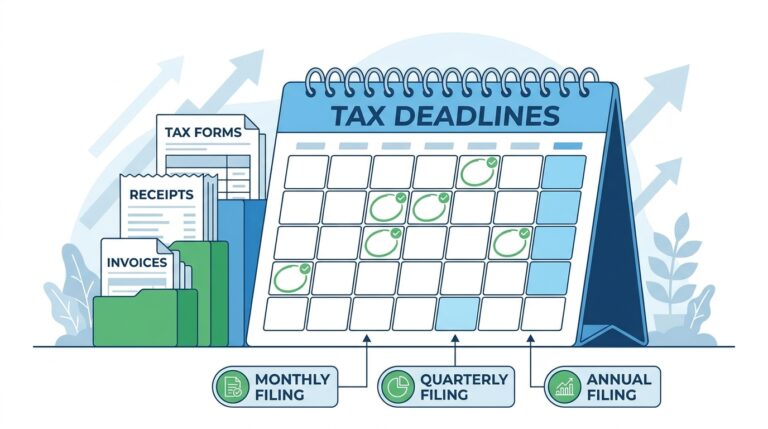
Sales Tax Filing Frequency: Monthly vs Quarterly vs Annual (2026 Guide)
Sales Tax Filing Frequency: Monthly vs Quarterly vs Annual (2026 Guide) Wondering how often you need to file sales tax returns? You’re not alone. Many...
Read More
September Sales Tax Checklist: 5 Smart Steps for Small Business Compliance
September Sales Tax Checklist: 5 Smart Steps for Small Business Compliance Introduction September might not scream “tax season” the way April does, but for small...
Read More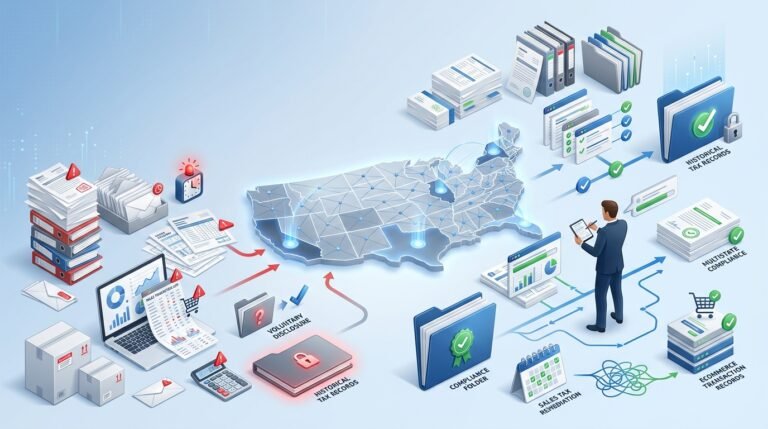
Back Sales Tax Liability: Fix Years of Noncompliance
Back sales tax liability can grow for years. Learn how voluntary disclosures, lookback relief, sales tax cleanup, and expert remediation can reduce exposure.
Read More